| Support Category: LMS Navigation |
| Specialist Notes: |
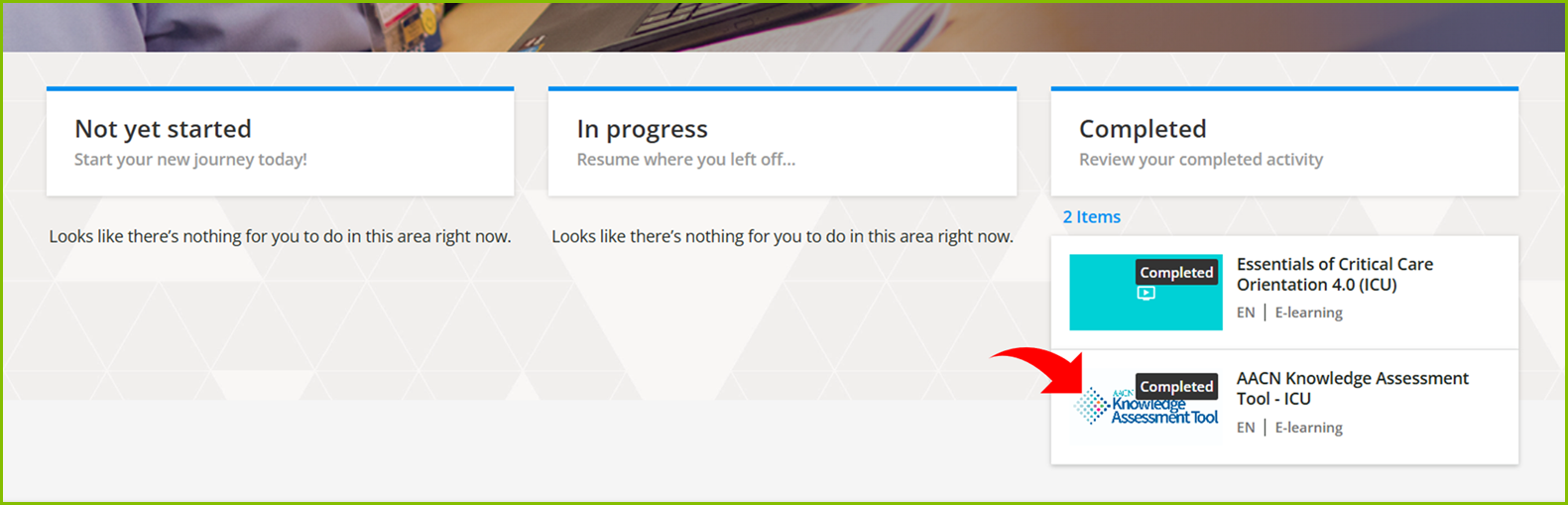
On the AACN LearnCenter, Learners are assigned “AACN Knowledge Assessment Tool-ICU” or “AACN Knowledge Assessment Tool-PCU” (as an eLearning in their transcript).
| Standard Response: |
To locate and launch the AKAT – ICU or PCU, you may follow these instructions:
1. On your AACN LearnCenter’s Home Page, scroll down to your main dashboard.
2. Locate the title “AACN Knowledge Assessment Tool – ICU” or “AACN Knowledge Assessment Tool – PCU”; which is dependent on what version is assigned to you.
3. Click the tile (with the title) to open the syllabus.
4. Under the syllabus, select “Knowledge Assessment – ICU” or “Knowledge Assessment – PCU”, then “LAUNCH >”
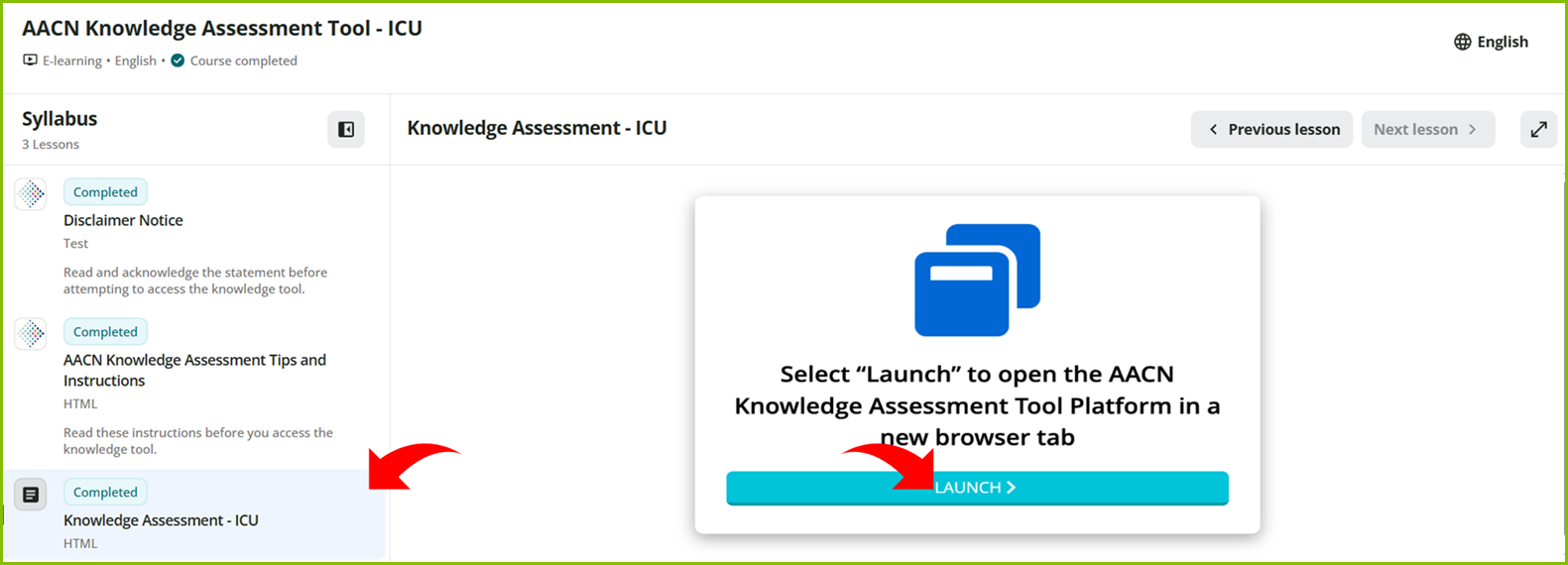
5. This opens a new window, which automatically signs you into the system.
