| Support Category: Course Launch | Relaunch Completed Course |
| Specialist Notes: |
Users can review content of a completed training, if it is not expired. However, users won't be able to change the submitted answers.
| Standard Response: |
You may review content of a completed course that has not been expired. You may use the following instructions:
1. Open the section containing the lesson/module.
2. Select the completed lesson/module.
3. Click the Relaunch the lesson button (as shown below).
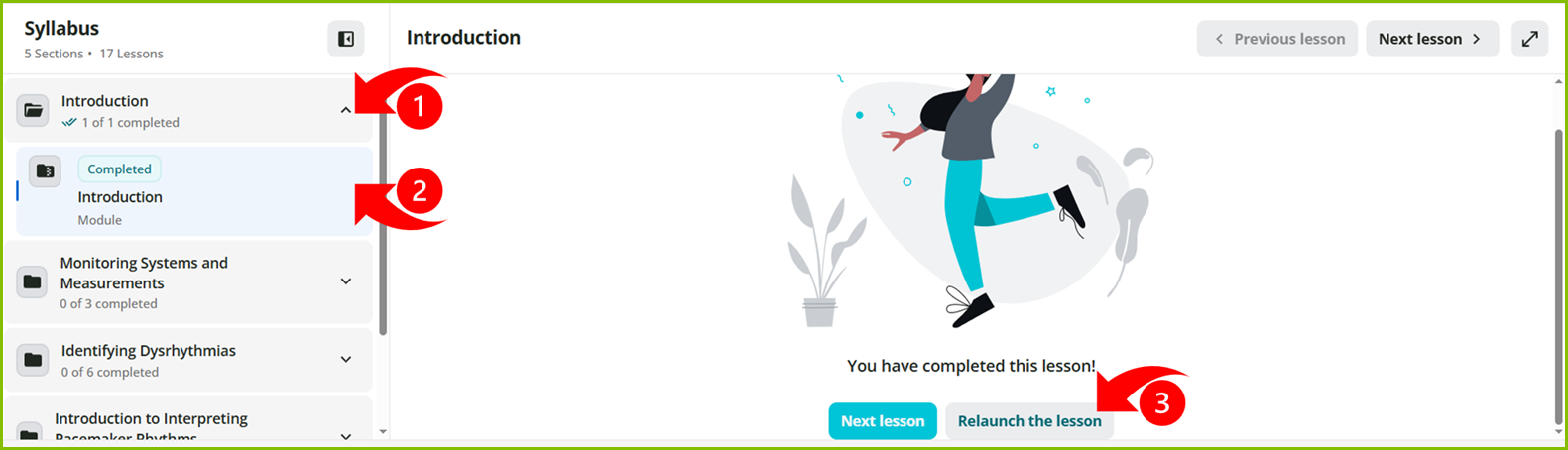
Please note, you will not be able to change your submitted answers.